FrameSide Studio
[ 01 / 10 ][ CREATED by over 100 animators ]
|[|collaborating just got easier|]|

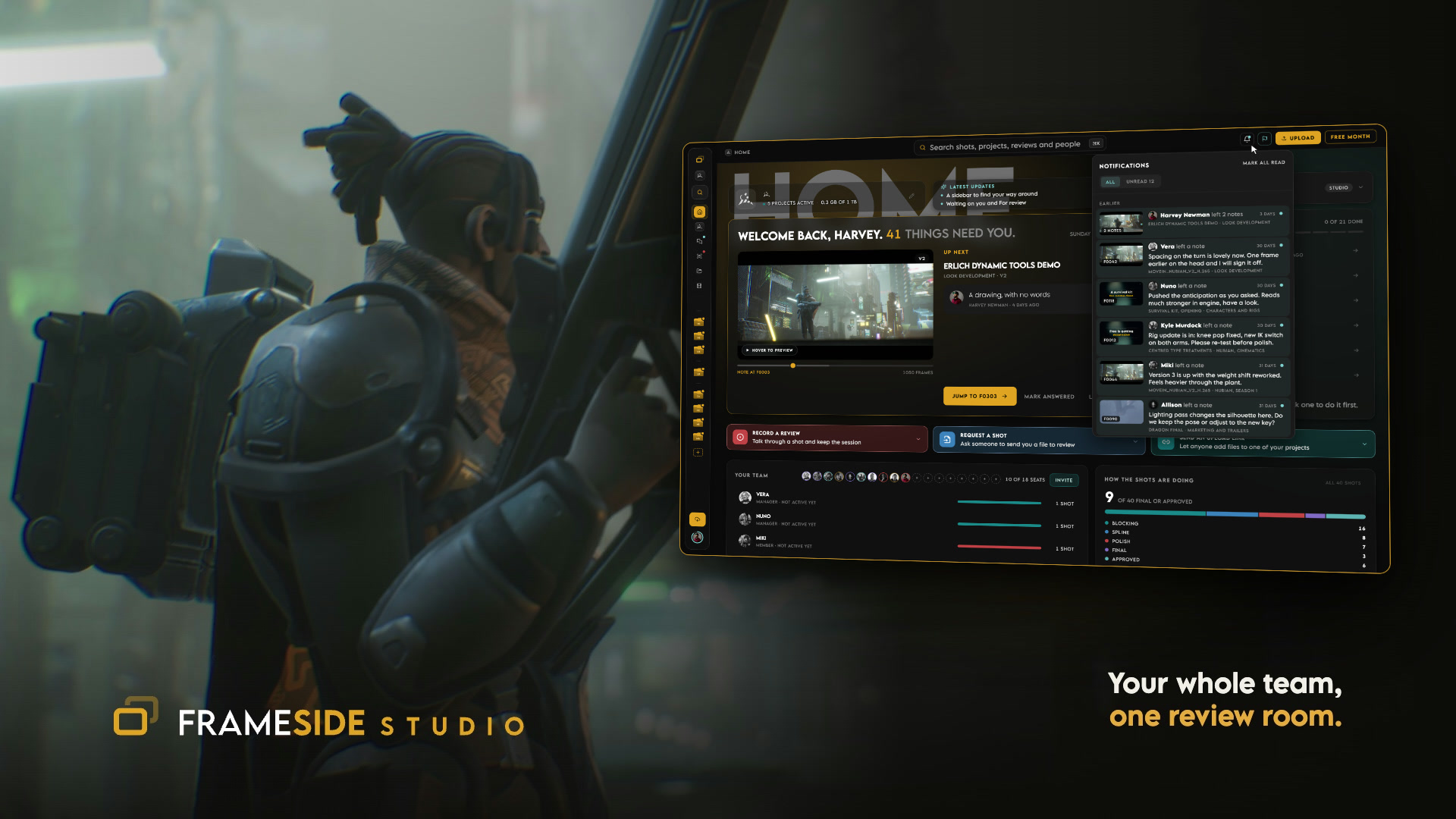
The review room built around your studio

Seats for the artists on the shot, free reviewers, and dailies that sync to Flow Production Tracking and Jira. For a team of 8 or a department of 200.
Book a demo
Pay only for the seats you need cheaper as your team grows new features to deliver faster
AC ACME Animation Studio dashboard
Jira synced
Seats used 9 / 12
Clips assigned 31 / 48 across 4 projects
Top reviewer Nadia R. 62 notes this week
Where the show is, by person
Nadia Reyes82%
Tom Achebe64%
Ines Kovac48%
Sam Ortiz31%
FrameSide Studio tour
Studio tour Video: studio tour
In the tour
[ 02 / 10 ][ WHAT MAKES US DIFFERENT ]
|[|Why FrameSide|]|

Because it adapts to your studio.

FrameSide is made by Animworks, a company of animators. When your studio needs a change, you talk to the people who build it.

You pay for the seats you really need. Nothing more.

|[|A seat is just the person WORKING ON THE SHOT |]|
Seats

Add or remove seats anytime. With just a click.

You can add or remove seats anytime based on the size of your team just by clicking a button. No need to send us requests or emails and wait. You get charged per seat, and you are never locked in. Invite the new member just by sharing a link, and assign them a role. Try it →

Seats 5Seats included
Plan

4 of 5 seats taken. Guests and reviewers do not take one.

Who gets what
ADMINRuns the studio. Billing, people, every project.0
MANAGERAdds and removes people on the shows they supervise.0
MEMBERUploads, retimes, draws, resolves notes. Takes a seat.0
GUESTWatches and comments on what they were named on. Free.0
£1,995 a year, £399 a seat

That is as far as the demo goes. Talk to us for a real number.

Plan is now {n} seats.

{n} people are on seats. Remove someone first.

No seats left in the plan. Add one, or invite them as a guest.

{name} invited. They take a seat.

Guest invited. Guests never take a seat and never pay.

Somebody has to be left.

{name} removed.

A seat is the person on the shot

A seat is just the person assigned the shot, who works on it and uploads it. Everyone who only watches, comments, leaves notes, and approves is free and unlimited for you.

Never locked in

You get charged per seat, and you are never locked in. Add or remove seats anytime, no need to send us requests or emails or wait.

Cheaper as your team grows.

|[|Annual and monthly seats can coexist|]|

Enterprise integrations at less than their Team price, with 20 times the storage, plus animated FBX published straight from Maya and Blender.

SeatsA seat a month, billed yearly
2 to 5 seats£161.88 a seat a year, or £15.99 billed monthly. About $17.79 a seat a month £13.49
6 to 15 seats£143.88 a seat a year, or £14.49 billed monthly. About $15.81 a seat a month £11.99
16 seats and over£125.88 a seat a year, or £12.49 billed monthly. About $13.84 a seat a month £10.49
FrameSide Studio£1,728a year, billed yearly
SyncSketch Team at $19 (about £14.40) a seat£2,280a year, billed yearly

You save £552 a year.

Prices are a seat a month, VAT included in the UK. You never pay more than the next band would cost. Minimum two seats. Internal reviewers are always free and need no account.
Per seat, a month SyncSketch Team SyncSketch Enterprise FrameSide Studio
Price per seat per month $19 (about £14.40) $36 (about £27.30) £13.49, falling to £10.49 (about $17.79 to $13.84)
Storage 50 GB, add-ons extra 50 GB, add-ons extra 1 TB pooled, grows with the team
External reviewers Yes Yes Unlimited, no account needed
Draw-over and frame-accurate notes Yes Yes Yes
Live review sessions with camera and mic Presentation mode Presentation mode Yes
3D model review Yes Yes Yes
Animated FBX published straight from Maya and Blender: scrub, orbit, check arcs from any angle Animated 3D upload Animated 3D upload Yes
Timing sheet on the review No No Yes
Maya plug-in Yes Yes Yes
Blender plug-in No No Yes
Nuke plug-in No No Yes
Flow Production Tracking, Jira, Confluence No Flow Production Tracking and Jira Yes
API No Yes Yes
Single sign-on No Yes Yes
Free trial 14 days 14 days 1 month, whole team, no card
Setup On your own Onboarding included Done for you within 24 hours
SyncSketch prices and features from syncsketch.com/pricing on 23 October 2026, per seat per month, billed yearly.

Different people for different projects

|[|Just add their email or send them a link|]|

If your studio is working on multiple projects, you have full flexibility in assigning each team member to each project. Reassigning people is easy and fast too, and you can do it anytime. Just add their email or send them a link. Pick a person to follow their lines↓

ACME Studio 4 people
ProjectRDL
RDL
PRJ_Redline2 people on it
On this project
NRNadia ReyesOwner
IKInes KovacEditor
ProjectHBL
HBL
PRJ_HarbourLights3 people on it
On this project
TATom AchebeEditor
IKInes KovacEditor
CQClient, Studio QViewer
ProjectTNM
TNM
PRJ_TinMoon2 people on it
On this project
NRNadia ReyesOwner
TATom AchebeEditor

Nadia runs ACME and leads Redline and Tin Moon. She is not on Harbour Lights day to day, so it stays out of her way.

[ 03 / 10 ][ Security ]
|[|Security first|]|

How we keep your work private

A project is visible only to you and the people you invite. Nothing is public unless you create a share link. Single Sign-on is always included, and API and plugins are included and custom.

Never pay for reviewer seats

Everyone who only watches, comments, leaves notes, and approves is free and unlimited for you. And doesn't need an account at all.

LayerWhat it doesWhy it matters
SHARE LINKSSet a password and an expiry date for every shared link. Downloads are off by default.A shared link is not a giveaway. The master file will never leave your studio.
WATERMARKThe viewer's name shows over the shot, and a downloaded review copy has their name, the link and the date in the picture.A copy that turns up online shows who it was shared with.
ENCRYPTEDYour work travels on an encrypted connection. Nothing is shared between accounts.Only you and the people you invite can open it.
BACKED UPProjects, shots and notes are backed up every night, encrypted, to a separate location.Delete something by mistake and it stays in Recently deleted for 30 days.
[ 04 / 10 ][ Pipeline ]
|[|It joins your pipeline. It doesn't replace it.|]|

Works with Flow Production Tracking, Jira, Confluence, Maya, Blender and Nuke

FrameSide blends with the tools your studio already depends on rather than asking you to leave them. Tracking in Jira and Confluence, shots in ShotGrid, publishing straight out of Maya, Blender and Nuke.

Single Sign-on included API with the plan Plug-in source included
The tools it plugs into
  • Jira
  • Confluence
  • SG
  • Autodesk Maya
  • Blender
  • NK
Jira Confluence SG Autodesk Maya Blender NK
Included

Jira, Confluence, ShotGrid

Connects to the tools you already use. Integrations are included in the price, not sold as an add-on.

JiraJira ConfluenceConfluence SGShotGrid
Studio only

We do all the onboarding

We'll take care of the onboarding, the setup, and any other integration your studio needs. Everything is handled by us.


AnimworksAnimworksHandled by us
Plug-in

Publish from Maya, Blender, or Nuke

Upload playblasts or animated FBX directly from Maya, Blender, or Nuke. A new version is created automatically and stacks on the previous pass.

Autodesk MayaMaya BlenderBlender NKNuke
Included

API and plugins, included and custom

API and plugin source come with the plan, and we build the custom pieces your studio needs.

SSO API Plug-ins
[ 05 / 10 ][ Dashboard ]
|[|a dashboard made for your team|]|

Everything going on in your studio at a glance

Projects Track the project as it progresses Where every shot is, who is on it, and what changed this week. 34 Shots approved IN last seven weeks
Reviews What needs to be reviewed next The queue, ordered by due date, so you start on the right shot. Review queue, ordered by due date
Clients Anything your client shared with you References, briefs and approvals, in one place instead of email threads. Shared by the client this week
Live review Collaborate with your team live Camera, voice, a shared playhead and notes that stay on the shot. Everyone on the same frame
Recordings Recorded reviews land here when ready Every live session is recorded and appears on the dashboard once processed. Processing finishes while you work
Storage A terabyte, pooled across the studio 1 TB shared by everyone, not per-person allowances. Reviewers cost none of it. 498 GB of 1 TB used, across 11 people
Seats Seats used, at a glance Annual and monthly seats side by side. Invite the next person directly from here. 9 of 12 seats in use
Pipeline Sync cards, flagging failed syncs ShotGrid, Jira and Confluence, each showing its last sync. Failures are flagged. Last sync, per connection
Clip menu Assign to, and Request review from Hand a shot to an artist, or ask a supervisor to look, straight from the clip. Right click any clip
[ 06 / 10 ][ 15 tools. One review room. ]

New features that make the feedback loop faster.

|[|15 unique tools. One review room.|]|

For most of the review tools out there, animation is an afterthought. FrameSide was made for it.

← Scroll for more01/1313 UNIQUE FEATURES
FrameSide Studio

TimesheetRobust plug-inRicher notesVersionsCompareScreen recordingLive sessionsUpload linksShare linksFoldersNotificationsAnnotations3D model view

  • 01Retime your Shot Quickly
  • 02Upload Straight from Maya or Blender
  • 03New Ways to Leave Notes
  • 04Keep Track of your Progress
  • 05Watch it Side by Side
  • 06Record and Share Your Review
  • 07Collaborate in Real Time
  • 08Let Anyone Upload What you Need
  • 09Show Your Work to Anyone
  • 10Keep Everything in Order
  • 11Everyone Stays in the Loop
  • 12Draw Directly on the Frame
  • 13Static 3D model view

Experiment with different timing choices directly inside FrameSide and pick the best one. Hold any frame, cut one you don't need, and the shot retimes without touching the original.

Upload playblasts or animated FBX straight from your software. A new version is created automatically and stacks on the previous pass.

Not just text and draw-overs. Leave a voice note, a link, or a reference image. Filter notes by name and resolve them directly.

Stack different versions of the same shot and set which pass it is, from Reference to Final. Everyone knows what they are working on.

Watch two passes of the same shot side by side, scroll them together, and leave notes on each pass separately.

Record a review with voice, screen and webcam and it lands on the studio dashboard when ready. Share it via link; nobody needs an account to watch it.

Camera, voice, shared playhead and simultaneous annotations in the browser. All the notes are kept after the call ends.

Share a link and a client or collaborator can drop references, audio and assets straight into the project.

Anyone can comment on your work without signing up. As many reviewers as you need, and you are never charged a seat for them.

Group a day's shots into a playlist. Folders and subfolders hold everything the team needs: clips, whiteboards, files and more.

As soon as someone leaves a note or hands a shot over, that person is notified. Nobody misses anything.

Draw on your shot with a vast choice of tools and the note lands on that precise frame. Smooth even with a mouse.

Drop a model in like a shot and turn it around. Notes pin to the angle they were drawn from. Different view modes

  • Hold or cut any frame
  • Put everything on 2s or 3s
  • Reset to undo all the changes
  • No need to playblast and upload every time you make a change
  • A new version is automatically created
  • Share deeper thoughts. Faster
  • Explain yourself without a wall of text
  • Collaborate asynchronously. Better.
  • Always know how the project is tracking
  • Everyone knows what they are working on
  • Choose between 6 stages (Reference, Layout, Blocking, Spline, Polish, Final)
  • See how shots are evolving
  • Compare versions to see if the idea is still there
  • See which version of your shot is better
  • No need for an external recording app
  • No huge attachments
  • Every recording is saved automatically
  • No need to stream with an external app
  • Draw together over the same shot at the same time
  • Anyone can break away to look at something and then snap back
  • No account or email needed
  • All the files you need in one place.
  • Get a notification as soon as anything arrives
  • Nothing gets lost
  • Add a watermark, expiry date or password to your link
  • Super easy to ask for someone's opinion. Just hand them the shot
  • All links are sercure
  • Nest folders and subfolders
  • Everything you need in one place
  • Find eveything you need faster
  • Never miss anything
  • No need to constantly check your inbox
  • Optimize time
  • No need for drawing tablets
  • Anyone can quickly sketch notes
  • Faster dailies
  • Texture
  • Clay
  • Silhouette
Timesheet
Video: Robust plug-in
Robust plug-in
Richer notes
Versions
Compare
Screen recording
Live sessions
Upload links
Share links
Folders
Notifications
Annotations
3D model view
[ 07 / 10 ][ SyncSketch vs. FrameSide ]
|[|what sets us apart|]|

Here's how much you'll save

Most review tools don't adapt based on what studios and teams need at that moment.

SyncSketch Team
A twenty artist studio, one year £3,457 SyncSketch Team at $19 (about £14.40) a seat a month, billed yearly, with 50 GB of storage and no Flow Production Tracking, Jira or API
Internal reviewers each need a paid seat
Flow Production Tracking, Jira and the API only on Enterprise, at $36 (about £27.30) a seat
You set it up on your own
No timing sheet, and no Blender or Nuke plug-in
FrameSide Studio
The same twenty artists, the same year £2,518 £10.49 (about $13.84) a seat a month at 16 seats and over, billed yearly, VAT included in the UK. Reviewers are free and need no account.
Reviewers are free and unlimited
Flow Production Tracking, Jira and Confluence included
Add or remove seats any month
We do the onboarding for you
1 TB of pooled storage, 20 times their 50 GB
Retiming and 3D notes, directly in the browser
[ 08 / 10 ][ Pricing ]
TRY IT FOR FREE

Free for 1 month. Fair after it.

Give your whole team a month with FrameSide Studio. No credit card until you decide it works for your studio.

1YOUR FIRST MONTH
£0 for your whole team, for a month Up to 10 seats. No credit card needed.
2THEN, IF YOU STAY
£13.49 a seat a month , UK VAT included, billed yearly Falls to £10.49 a seat as your team grows.
THE SAME FRAMESIDE STUDIO, FROM DAY ONE
TEAM DASHBOARDSeats, team and how every shot is doing.
SHOTGRID SYNCProjects linked to ShotGrid.
SINGLE SIGN-ONStaff use the studio login.
NUKE, MAYA, BLENDEREvery plug-in, Nuke included.
API AND KEYSFor farms, scripts and pipeline tools.
JIRA AND CONFLUENCENotes become tickets, frame attached.
Everything in Solo for every seat, plus the tools a studio needs. Reviewers are always free and unlimited.
SET UP MY STUDIO No credit card. Cancel any time.
SOLO OR STUDIO?The same review room. Studio adds the team and the pipeline.
FeatureSOLOSTUDIO
Who it is forOne animator: freelancers, students and mentorsA team sharing projects, from two seats
Price£6.49 a month billed yearly (about $8.56), or £8.99 monthly (about $11.86)£13.49 a seat a month billed yearly (about $17.79), or £15.99 monthly, VAT included in the UK. Falls to £10.49 as the team grows
Free trial1 month, no credit card1 month for the whole team, up to 10 seats, no credit card
ReviewersUnlimited free reviewers, no account neededUnlimited free reviewers, no account needed
Maya and Blender plug-ins
3D model and FBX animation review
Timing sheet on the review
Storage250 GB1 TB pooled for up to 5 seats, then 200 GB per extra seat
Studio dashboard and roles
Flow Production Tracking, Jira and Confluence
API and the Nuke plug-in
Single sign-on (Google, Microsoft, Okta)
Setup and onboardingOn your own, in a minuteDone for you, within 24 hours
Your price, lockedYour price stays the same for as long as you keep your subscriptionSeats you hold keep their price for as long as you keep your subscription. New seats pay the current rate
[ 09 / 10 ][ FAQ ]

Got questions?

Here are the answers.

The questions studios ask in their first week, filed where you can find them. Pull a card to read it.

Basics

A review room for animators and studios made by animators. Upload a shot, watch it together or in your own time, draw over it, and every note lands on the exact frame it is about.

Why us

FrameSide was built around how animation studios review work. It was made by animators to give their colleagues tools that help, not an afterthought bolted onto a video player.

Pricing

Studio is £13.49 a seat a month billed yearly (about $17.79), or £15.99 billed monthly, from two seats, VAT included in the UK. From 6 seats it is £11.99 (£14.49 monthly), and from 16 seats £10.49 (£12.49 monthly), and you never pay more than the next band would cost. Reviewers are always free. There are no private rates: every studio pays the same list, and the seats you hold keep their price for as long as you keep your subscription.

Trial

We agree. Your whole team can use FrameSide free for a whole month, with no credit card and no commitment. After that, you decide if it is right for you.

Setup

No. FrameSide runs in the browser, for you, your team, and anyone you share a shot with, and you can open your work from any computer.

3D

Yes. FrameSide opens FBX, OBJ, and USD files, and you can look at and leave notes on 3D models from any angle, in the browser.

Stability

We test FrameSide all the time, but no software is free of bugs. If your team runs into one, email support@anim.works and we will look at it straight away.

Your work

Yes. Everything you do in FrameSide gets automatically saved and stays on our server until you decide to delete it.

Drawing

No. The annotation tools are built to work well with a mouse too.

Switching

We set everything up for you, so your team only has to learn the player itself.

Sharing

No. We don't want to charge for this. A share link opens for anyone. They can watch, draw, and comment, and they cost you nothing.

Security

Yes. A project is visible only to you and the people you invite. Nothing is public unless you create a share link. Your work travels on an encrypted connection, the nightly backups are encrypted, and single sign-on is included.

Pipeline

Yes. Jira, Confluence, and ShotGrid integrations are included in the price.

Speed

FrameSide is built to open and play long videos quickly, so your studio is not left waiting on the software.

Not in the drawer? Write to us and a person answers.

Ask us
[ 10 / 10 ][ no setup ]
|[|No waitlist|]|

The review room your studio needed

Set everything up within the next 24 hours. Moving your team to FrameSide is easy and fast. We do all the setup for you.

contact us Sign in and open a studio
Step 01

Tell us about your studio

How many projects you are working on, how many people are on your team, what you already use, and what you need.

Step 02

We set it up for you

Seats, roles, projects and the pipeline integrations. We do all the work for you.

Step 03

Your team starts reviewing

Within 24 hours. Free for 1 month, no credit card, no commitment, and you can leave anytime if you don't like it.